

Maximizing HVAC Website Conversions: Stop Losing Leads!
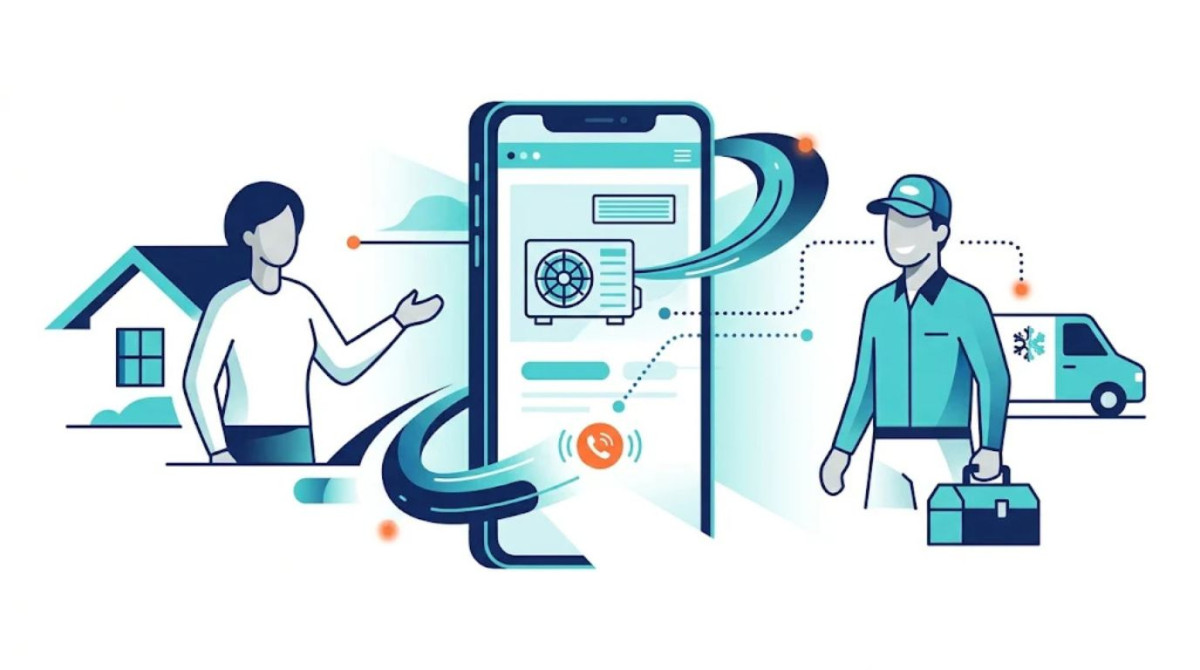
Your HVAC website should do more than attract visitors; it should turn them into paying customers. Effective HVAC website conversion optimization focuses on improving site speed, mobile usability, contact options, and trust signals to make it easier for potential customers to find the services they need and book appointments. By creating a seamless browsing experience, simplifying the path to contact, and demonstrating your company’s reliability, you can turn more website visits into valuable leads and long-term customers. We’re going to dive deep into actionable strategies that can transform your website from a passive brochure into a powerful lead-generation engine.
Key Takeaways:
- Speed is paramount: Aim for load times under 2.5 seconds to avoid losing visitors.
- Mobile-first is essential: Design for the majority of users who browse on their phones.
- Contact options must be abundant and obvious: Make it effortless to get in touch.
- Social proof builds trust: Display glowing reviews and testimonials prominently.
The Urgency of Speed: Why Every Millisecond Counts
Imagine you’re in the middle of a sweltering summer day, your air conditioner has just sputtered its last breath, and you desperately need a repair. You grab your phone, tap a search result, and wait. One second. Two seconds. Three seconds. At this point, your patience is wearing thin. You’re not just looking for a solution; you’re looking for immediate relief from discomfort and anxiety. For many of your potential customers, this is their reality.
Recent data shows that load times under 2.5 seconds are no longer a luxury; they are a critical requirement. Every additional second your website takes to load can decrease your conversion rates by a significant 7-12%. Think about that. If your current website is taking 5 seconds to load, you could be losing half of your potential leads simply because they can’t wait. This isn’t about making your website look pretty; it’s about making it functional and immediately accessible, especially when your customers are experiencing an emergency.
To combat this, audit your website’s speed. Tools like Google PageSpeed Insights can provide a clear picture. Focus on implementing technical strategies that will shave off those precious seconds. This includes:
Optimizing Images for Performance
Often, large, unoptimized image files are the biggest culprits behind slow load times. Large images are like trying to move a piano through a doorway – it’s slow and inefficient.
- Use Modern Image Formats: Convert your images to next-generation formats like WebP or AVIF. These formats offer superior compression, resulting in smaller file sizes without sacrificing visual quality. Most modern browsers support them.
- Lazy Loading: Implement lazy loading for your images. This technique ensures that images only load when they are visible in the user’s viewport. It’s like only bringing out the plates you need for the meal, rather than setting the whole table at once.
- Resize and Compress: Before uploading any image, ensure it’s resized to the dimensions it will be displayed on your website and then compressed using an image optimization tool.
Streamlining Code and Scripts
Excessive or poorly written code can bog down your website’s performance.
- Minimize JavaScript and CSS: Remove unnecessary code and combine files where possible. Complex code is like a tangled fishing line; it hinders smooth operation.
- Defer Offscreen Images: Similar to lazy loading, deferring scripts that aren’t immediately needed until after the initial page load can dramatically improve perceived speed.
- Enable Browser Caching: Instruct visitors’ browsers to store certain files from your website locally. This means subsequent visits will load much faster as much of the content is already available.
Infrastructure Matters
Sometimes, the issue lies beyond individual files.
- Upgrade Your Hosting: If you’re on a shared hosting plan, consider upgrading to a VPS or dedicated server. More resources mean a faster website.
- Deploy a Content Delivery Network (CDN): A CDN distributes your website’s content across multiple servers worldwide. When a visitor accesses your site, they are served content from the server geographically closest to them, reducing latency.
Prioritizing speed sends an immediate signal to potential customers: “We are efficient, we respect your time, and we are ready to help.” This is a powerful first impression that directly impacts your conversion rates.
The Mobile Imperative: Your Website’s Digital Handshake

If speed is about making a quick first impression, mobile optimization is about ensuring that impression is a firm, friendly handshake, not a fumbled one. Consider this: the vast majority of your potential customers aren’t sitting at their desktops when they realize their AC is out on a 95-degree day. They’re likely in their kitchen, in their living room, or somewhere else in their home, reaching for their smartphone.
Recent statistics reinforce this reality: most HVAC searches are initiated on mobile devices. If your website isn’t designed to be mobile-friendly, you are essentially turning away over half of the people who are actively looking for your services. A poor mobile experience – tiny text, buttons that are impossible to tap, or pages that require endless pinching and zooming – will drive users away faster than a leaky faucet. They simply won’t engage with companies that make it difficult to find information or book a service on their phones.
This isn’t just about making your website look good on a phone; it’s about making it functional and user-friendly for someone in a state of urgency.
Responsive Design as Your Foundation
This is the baseline for mobile optimization.
- Fluid Grids and Flexible Images: Your website elements should automatically adjust their size and layout based on the screen size. This ensures your content is always readable and presentable.
- Test Across Devices: Don’t just assume your website looks good on mobile. Test it on various smartphones and tablets. What looks fine on an iPhone might be a mess on an Android device.
Streamlining the Mobile User Journey
Once the layout is responsive, focus on the user experience.
- Large, Tap-Friendly Buttons: Users on mobile devices tap with their thumbs. Buttons should be large enough to be easily pressed without accidental clicks on adjacent elements. Think of them as clearly marked entry points, not tiny mouse-click targets.
- Short, Concise Forms: Long, complicated forms are a conversion killer on mobile. Capture only the essential information upfront. You can always follow up for more details.
- Avoid Aggressive Pop-ups: While pop-ups can sometimes be effective, they can be particularly intrusive and frustrating on mobile screens, especially if they block content and require difficult dismissal. If you use them, ensure they are mobile-friendly and easy to close.
The goal is to make interacting with your business as easy as possible, regardless of the device the customer is using. This dedication to a seamless mobile experience directly translates into more inquiries and appointments.
Make Contact Effortless: The Path to a Booking
You’ve got a visitor on your website, they’re interested in your services, and they’re ready to take the next step. Now, the most crucial element comes into play: making it incredibly easy for them to connect with you. This is where maximizing conversions becomes about removing friction. If finding your phone number or filling out a form feels like solving a puzzle, your potential customer will likely abandon ship and find someone who makes it easier.
Think of your contact information as the express lane to business. You want multiple, clearly marked exits on every page that lead directly to that lane. Don’t hide your contact details in a footer or bury them on a separate page that requires multiple clicks to find. They should be prominent, accessible, and offer various options to cater to different user preferences and situations.
Multiple Avenues for Connection
Offer a variety of ways for people to reach out, recognizing that different scenarios call for different communication methods.
- Prominent Click-to-Call Numbers: On mobile devices, a phone number should be clickable, initiating a call instantly. Place these numbers in your header, footer, and within the body of key service pages.
- Short, Simplified Forms: As mentioned earlier, keep forms concise. Ask for their name, phone number, and a brief description of their need. A form that looks like a novel will deter submissions.
- Live Chat Functionality: For those who prefer immediate, text-based interaction, a live chat can be invaluable. It offers instant answers and allows you to capture leads even outside of business hours through chatbots.
- Consider Text Messaging Options: Some customers prefer texting. Offering a “Text Us” option can open another channel for communication.
Strategic Placement and Clear Calls to Action
It’s not just about having these options, but about making them visible and intuitive.
- Sticky Header/Footer Elements: Keep contact buttons or phone numbers visible as users scroll through your pages.
- Clear Calls to Action (CTAs): Use direct and action-oriented language. Instead of “Contact Us,” try “Schedule a Free Estimate,” “Get Emergency AC Repair Now,” or “Book Your HVAC Service.” Your CTAs should be like clear signposts guiding users to their desired destination.
- Dedicated Service Page CTAs: On pages for specific services (e.g., AC repair, furnace maintenance), place CTAs directly related to that service. A user on your AC repair page should see a prominent “Schedule AC Repair” button.
The Power of Call Tracking
To truly understand what’s working, implement call tracking.
- Use Unique Numbers: Assign different tracking phone numbers to various sources, such as your organic search listings, paid ads, and different pages on your website. This allows you to pinpoint exactly which channels are driving your phone calls.
- Attribute Conversions Accurately: By tracking calls, you can attribute phone leads directly to the marketing efforts that generated them, providing a clearer ROI for your initiatives. This helps you understand which parts of your website are most effective at generating direct phone inquiries.
By making it as easy as possible for visitors to contact you, you directly increase the likelihood that they will choose your business over a competitor.
Building Trust and Credibility: The Pillars of Conversion
In the HVAC industry, customers are often making decisions based on trust. They are inviting strangers into their homes to work on critical, often expensive, systems. They need to feel confident that they are hiring a reputable, skilled, and reliable company. This is where social proof and transparency become your most powerful conversion tools. It’s not enough to simply state you’re good; you need to show it.
Think about your own decision-making process. When you’re looking for a new restaurant or a service provider, what do you rely on? Reviews and testimonials often play a significant role. For your website visitors, seeing that others have had positive experiences with your company acts as a powerful validation. It’s like having a crowd of satisfied clients cheering for you, encouraging new prospects to join their ranks.
Harnessing the Power of Social Proof
Display your best feedback prominently on your website.
- Feature Customer Reviews: Integrate a system that pulls in your best reviews from platforms like Google, Yelp, or Facebook. Display star ratings and snippets of positive comments on key pages, especially near your contact information and CTAs.
- Showcase Video Testimonials: If you have customers willing to share their experience on video, these are incredibly impactful. A genuine smile and a heartfelt endorsement are far more persuasive than any marketing copy.
- Highlight Awards and Certifications: If your company has received industry awards, Better Business Bureau accreditations, or certifications from reputable organizations, display these badges prominently. They serve as independent endorsements of your quality.
Transparently Address Customer Concerns
Beyond external validation, proactively address common hesitations. Customers often have questions about pricing, the longevity of systems, or the decision between repairing an existing unit versus investing in a new one. Addressing these upfront builds credibility and reduces the need for users to search elsewhere for answers.
- Pricing Transparency (Where Possible): While exact quotes are often impossible without an onsite assessment, you can offer price ranges, explain your service fees clearly, or provide information on financing options.
- Repair vs. Replacement Guides: Create content that helps homeowners understand when it’s more economical to repair and when it’s time to replace their HVAC system. This positions you as a helpful advisor, not just a salesperson.
- Warranty Information: Clearly state the warranties you offer on parts and labor. This reassures customers about the long-term reliability of your work.
Building Immediate Trust Signals
Even for emergency situations, trust is paramount.
- Professional Photography: Use high-quality photos of your team, your equipment, and completed jobs. This humanizes your business and shows you take pride in your work.
- Clear “About Us” Section: Tell your story. Who are you? What are your values? How long have you been serving the community? A genuine narrative can build an emotional connection.
- Guarantees and Guarantees: If you offer any guarantees on your services, make them clear and easy to find. This removes a significant layer of risk for the customer.
By focusing on building genuine trust and credibility, you make your website an inviting place where customers feel confident in choosing you.
Designing for the Emergency: Clarity in Crisis
When a potential customer lands on your HVAC website because their furnace has died in the dead of winter or their AC unit has given up on the hottest day of the year, they are not browsing leisurely. They are in a state of distress, seeking immediate solutions with limited patience. Your website’s design and content need to reflect this urgency and provide a clear, fast path to resolution.
This is where the principles of conversion-focused design for urgent scenarios come into play. High-stress situations demand clarity, ease of use, and immediate trust signals. The goal is to guide them through a streamlined process that leads directly to contacting you, bypassing any unnecessary steps or distractions.
Streamlined and Focused Layouts
On emergency pages or for prominent calls to action, simplicity is key.
- Minimal Distractions: Remove non-essential navigation elements, flashing banners, or complex graphics that could detract from the primary goal: getting help.
- Prominent Contact Information: As discussed earlier, phone numbers, a clear “Request Service” button, or a live chat prompt should be the most visible elements on emergency-focused pages.
- Clear Service Identification: If you have specific pages for “Emergency AC Repair” or “24/7 Furnace Service,” ensure the heading clearly states the service and its availability.
Immediate Trust Signals for Anxious Visitors
In a moment of crisis, reassurance is as important as quick service.
- “Available Now” Badges: A visible indicator that you are available for emergency service can immediately alleviate anxiety.
- Emergency Service Hours: Clearly state your availability for emergencies, whether it’s 24/7 or specific extended hours.
- Fast Response Time Guarantees: If you can, mention your typical response times for emergency calls. This provides concrete reassurance.
- Acknowledge Their Situation: A brief, empathetic headline like “Don’t Sweat It Out: Emergency AC Repair Available” can connect with their immediate need.
Fast Paths to Human Contact
The primary objective is to connect the distressed customer with a person as quickly as possible.
- One-Click Calling: Ensure your phone number is universally clickable on all devices.
- Simplified “Emergency Request” Form: A form specifically for emergencies should be extremely short, asking only for critical contact details and the nature of the emergency.
- Proactive Chatbot Engagement: A chatbot can immediately greet emergency visitors, ask if they need immediate assistance, and offer to connect them with a live agent or start a service request.
By designing your website with these urgent scenarios in mind, you demonstrate an understanding of your customers’ needs during their most difficult times. This not only improves your conversion rates but also builds a reputation for responsiveness and reliability.
Measuring and Optimizing: The Continuous Improvement Cycle
You’ve implemented these strategies, but how do you know if they’re truly working? The journey to maximizing HVAC website conversions doesn’t end with the initial changes. It’s an ongoing process of monitoring, analyzing, and refining. Understanding your website’s performance is like a doctor checking vital signs – it tells you what’s working, what’s not, and where to focus your attention.
It’s important to set realistic expectations for conversion rates. While average local service websites might convert around 3.1% of their visitors, top-performing HVAC websites can achieve conversion rates as high as 15-30%. This gap highlights the significant opportunity for improvement.
Tracking Your Key Metrics
Regularly review your website analytics to understand user behavior and conversion performance.
- Conversion Rate: This is the percentage of website visitors who complete a desired action (e.g., fill out a form, make a phone call).
- Bounce Rate: A high bounce rate on a specific page might indicate an issue with its content, speed, or relevance to the visitor.
- Time on Page/Site: Longer engagement can signify interest, but it needs to be coupled with conversions to be meaningful.
- Goal Completions in Analytics: Set up specific goals in Google Analytics (e.g., form submissions, outbound clicks to call) to track your success.
Monthly Performance Review
Dedicate time each month to analyze your conversion data.
- Identify High-Performing Pages: What pages are driving the most leads or phone calls? Can you replicate their success on other pages?
- Pinpoint Underperforming Pages: Which pages have high traffic but low conversion rates? These are prime candidates for optimization.
- A/B Testing: Once you have data, start experimenting. Test different headlines, CTAs, form lengths, or even page layouts to see which variations perform better. Tools exist to help you conduct these tests scientifically.
Iterative Optimization
Conversion optimization is rarely a one-time fix. It’s a cycle:
- Analyze: Review your data and user behavior.
- Hypothesize: Formulate a belief about what change will improve conversions.
- Implement: Make a targeted change.
- Measure: Track the impact of the change.
- Refine: Keep what works, discard what doesn’t, and repeat the cycle.
By actively measuring and optimizing your website, you ensure that it continues to evolve and perform at its best, consistently converting more visitors into valuable leads for your business.
Your HVAC Website: More Than Just a Digital Brochure
Your HVAC website is a powerful tool for growth, but only if it’s designed with your customer and their needs at its core. By focusing on speed, mobile usability, effortless contact, building trust, and catering to urgent needs, you can transform your online presence from a passive placeholder into an active lead-generation machine. Stop letting potential customers slip through the cracks because your website isn’t working hard enough for you.
Implementing these strategies will not only increase your conversion rates but also enhance your brand’s reputation by demonstrating efficiency, trustworthiness, and a genuine commitment to customer service. Start by auditing your current website’s speed and mobile experience, and then systematically implement the changes discussed.
Ready to turn more of your website visitors into booked appointments and loyal customers? Take the first step today by reviewing your website’s current performance against these benchmarks.
FAQs
What are common reasons HVAC website visitors do not convert into leads?
Common reasons include unclear calls-to-action, complicated navigation, lack of trust signals such as reviews or certifications, slow website loading times, and insufficient information about services or pricing.
How can HVAC companies improve lead conversion on their websites?
They can improve conversion by optimizing website design for user experience, adding clear and compelling calls-to-action, using live chat or contact forms, showcasing customer testimonials, and ensuring the site is mobile-friendly and fast-loading.
Why is it important for HVAC companies to track website visitor behavior?
Tracking visitor behavior helps identify where potential leads drop off, which pages are most engaging, and what content or features encourage conversions. This data allows companies to make informed improvements to their website and marketing strategies.
What role does local SEO play in attracting HVAC leads online?
Local SEO helps HVAC companies appear in search results for customers in their service area, increasing visibility to potential leads who are actively searching for nearby HVAC services, thereby improving the chances of website visits converting into leads.
Are there specific tools HVAC companies can use to reduce lead loss on their websites?
Yes, tools such as Google Analytics, heatmaps, live chat software, CRM integrations, and conversion rate optimization platforms can help HVAC companies monitor visitor activity, engage users in real-time, and streamline the lead capture process.
Related Posts
Reaching Homeowners Who Didn’t Submit: Solar Installers’ Guide
Have you ever looked at your marketing efforts and felt like you were casting a…

Reconnecting with Homeowners: Pool Service Companies Reach Out
You’ve built a solid pool service business. Your team is skilled, your equipment is reliable,…

How to Identify Anonymous Website Visitors and Generate More B2B Leads
Your website attracts potential customers every day, but many leave without revealing who they are…